How to lock your card on Chase's website
How to lock your card on Chase’s website.

Chase has announced that now customers have the ability to lock their credit cards if they lose them, and unlock the cards again when found. Locking and unlocking can be done through Chase.com or the company’s mobile app. According to chase locking a card will instantly block new purchases, cash advances and balance transfers, but will not interfere with recurring payments.


Jennifer Piepszak, CEO of Chase Card Services states in a press release: “We are always working on ways customers can pay with confidence every time…Now you can protect your credit card with just a few clicks on your phone or computer.”


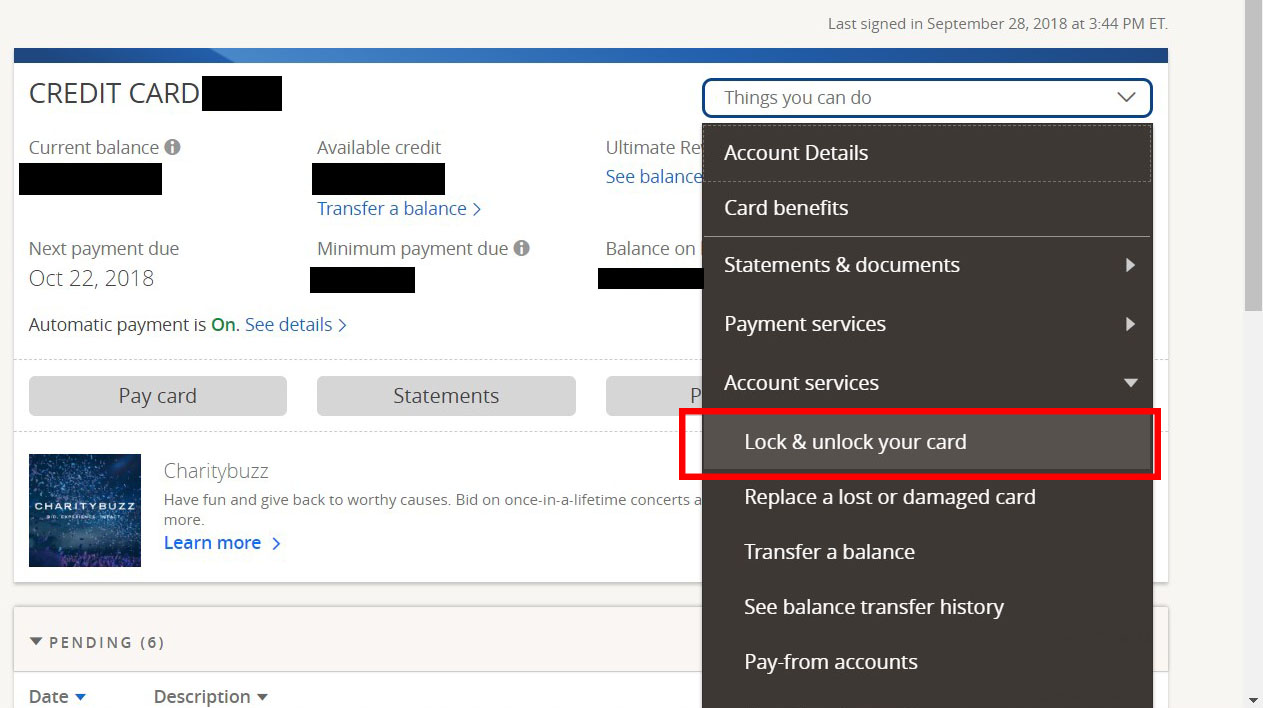
If you want to lock your card using the chase website, follow these steps:

  1. Log in
  2. Select the credit card you want to lock
  3. Click on the “Things you can do” box on the right hand side
  4. Select lock & unlock your card


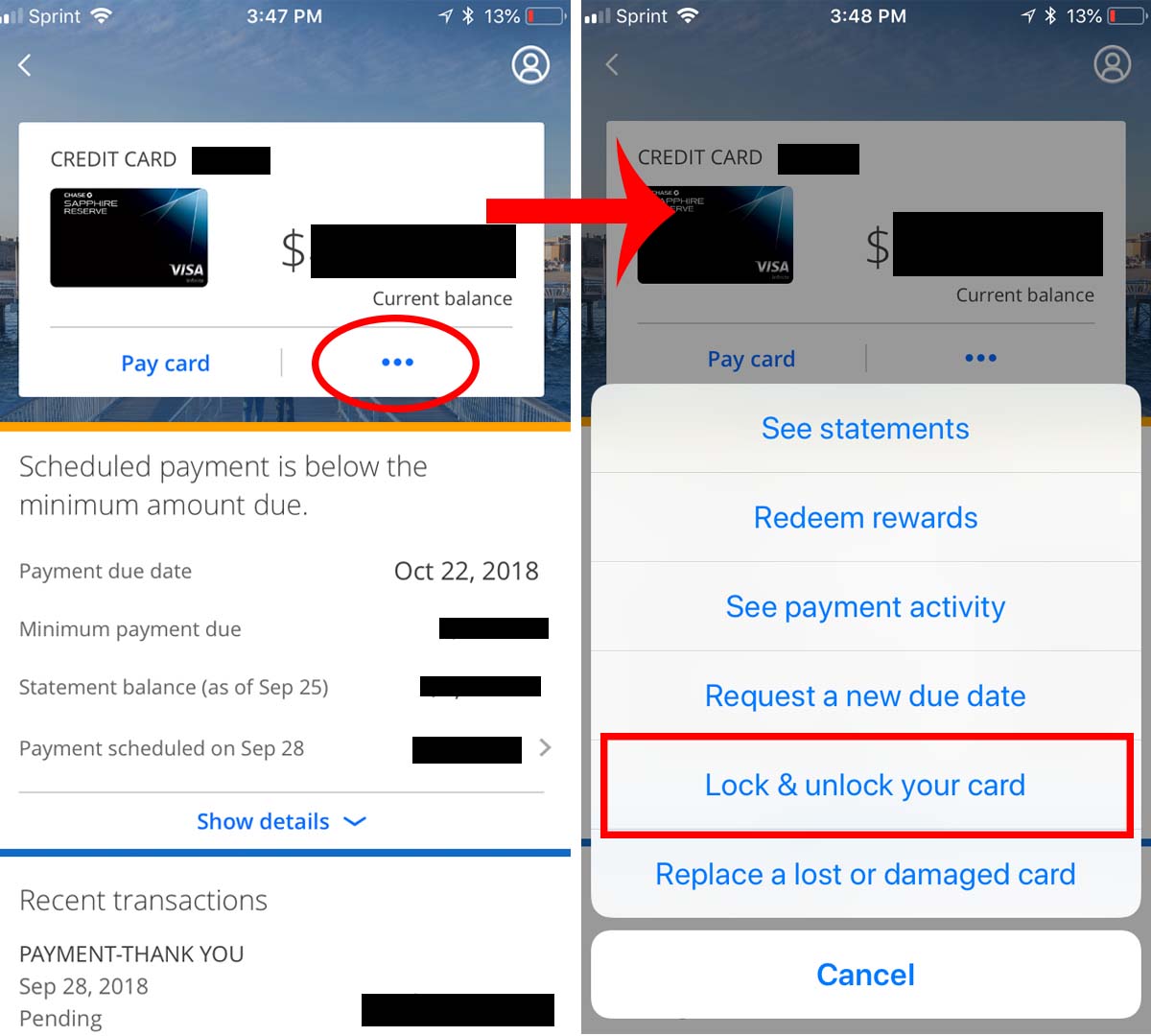
On the mobile app follow these steps:

  1. Log in
  2. Select the card you want to lock
  3. Click on the three dots to the right of “pay card”
  4. Select lock & unlock your card
How to lock & unlock your card on the Chase Mobile app

This feature has been available from other issuers, such as Wells Fargo and Discover, for some time. American Express also introduced a card freeze feature on their website in August this year. Right now Chase’s card lock feature is limited to credit cards, but they say they will roll it out for debit cards later this year.



Leave a Reply
You May Also Like

Chase Ends AU Bonus on the Sapphire Preferred Card

Chase has been clamping down on churning and trimming benefits and rewards on its Sapphire cards to save money. We recently reported on the 24 month waiting period to get a Sapphire sign up bonus if you have had it before being increased to 48 months, that’s 4 years. And now Chase is bringing in another change.

Save Over 60% on Uber Rides (Amex Offer)

Amex offers are one of my favorite features of American Express cards. These offers can be added to your card in your Amex online account and typically refund a certain amount of money at a certain store if you spend over a certain amount. For example spend $50 at X store, get $10 back. This obviously benefits Amex and these stores, because it serves as advertising for them, shop there once with an Amex offer and you may like it so much you continue to shop there! But still, wise consumers can save a lot of money by maximizing Amex offers.

Will Merchants Soon Refuse to Accept Rewards Credit Cards? (WSJ Article)

A recent article in the Wall Street Journal has drawn attention to several big merchants’ campaign to end the so called “honor all cards” policy of Visa and Mastercard. If a merchant wants to accept say Visa cards, for example, they must accept all Visa cards, regardless of issuer or the type of Visa card. Mastercard has the same rule for merchants who use their network.

Chase New Limited Time Perks: ‘Pay Yourself Back’ Feature, and $100 Off Sapphire Reserve Annual Fee

“The content on this page is accurate as of the posting date;…